atlas
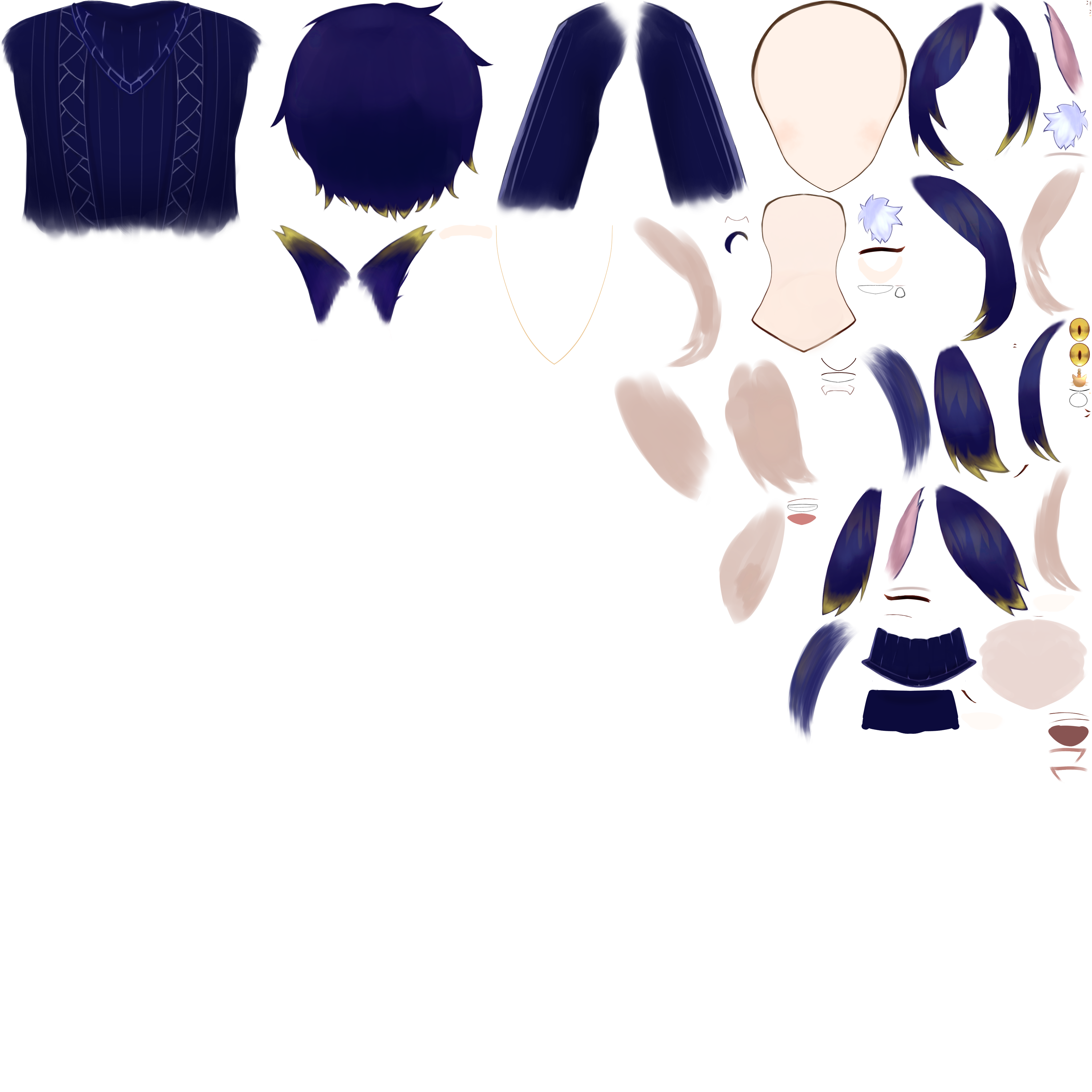
atlas packs the layers of an artwork file into a texture atlas. An atlas page consists of model textures packed together to reduce overall dimensions. This command writes atlas pages and includes a report of where every layer went, and then verifies every page by reading each packed layer back out of its page and comparing it with the original texture layers pixel by pixel.
The atlas command invokes the atlas packer with no additional features. Inside the Umamo editor, the same packer is behind Atlas Packing.
Synopsis
atlas <file> [<directory>] [options]
file is a PSD, CLIP, or KRA file, or a flat image. The command stops with a usage error for non-image data, such as a Live2D model. For example:
./gradlew -q :cli:run --args="atlas art.psd out/ --preview"
This writes into out/art/, a new folder named after the file.
Options
Option |
Effect |
Default |
|---|---|---|
|
The side of the square page to pack against, in pixels. |
4096 |
|
The empty space kept around every tile and at the edge of the page, in pixels. |
2 |
|
How many pixels of the gutter around each tile repeat the tile’s edge colors, at no opacity. This keeps the edges from fringing when the texture is filtered. |
2, or the gutter if that is smaller |
|
Lets a tile be turned a quarter turn when it packs tighter that way. |
Off |
|
Leaves out the layers that are hidden by their own eye or by the eye of a group that holds them. |
Off |
|
Keeps every page at the full |
Off |
|
Also writes |
Off |
Pages are always square, and a page that is cut down rounds up to a power of two. A pixel counts as art when it has any opacity.
Layers that carry no pixels, such as text and adjustment layers, are not packed. The command prints a note with how many there were.
Example
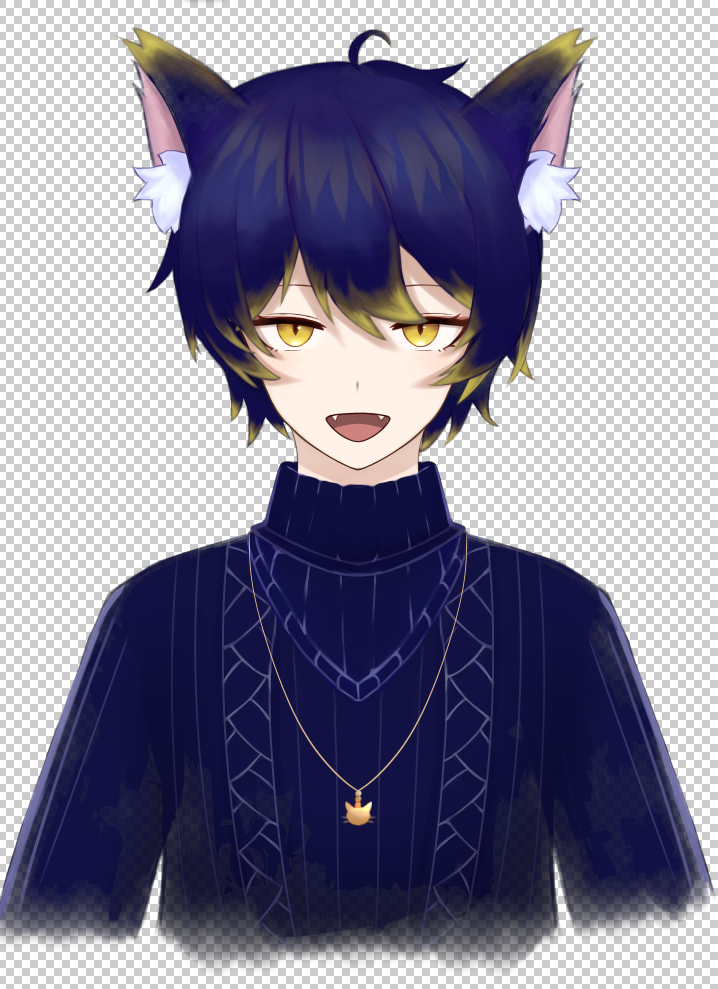
I’ve tested the following .PSD image, with multiple layers:
The packed texture atlas looks like :
Output Files
atlas writes these files into the new folder:
page_00.png,page_01.png, …The atlas pages, numbered from 0.
placements.txtThe report of where every layer went, described below.
preview.pngWith
--preview: the whole canvas, put together again from the packed pages. Layers are stacked with the top layer last, using plain alpha blending. Blend modes and layer opacity are ignored, so a document that relies on them will not look the same as it does in its own application. That is expected and is not a fault in the packing. A canvas of more than 128 million pixels is too large for a preview, and the command says so and skips it.
The command prints a line for each file that it writes:
Packing 6 layer(s) of art.kra (1024x1024 canvas)
Wrote out/art/page_00.png (1024x1024, 46% occupancy, 29074 bytes)
Wrote out/art/placements.txt (6 placements, 0 skipped)
Verified 6/6 tiles byte-exact
The occupancy is how much of the page the tiles fill.
placements.txt
placements.txt is plain text. Lines that start with # are comments, and the rest are separated by tabs.
#atlas placements for art.kra
#options pageSize=4096 gutter=2 extrude=2 rotate=false shrink=true
#page 0 1024x1024 46% occupancy
#page   x       y       width   height  turns   trimX   trimY   key     name
0       567     426     279     47      0       60      20      {5e7e171e-bbd2-41f2-a1db-012f9eea6e16}  Paint Layer 1
0       2       2       586     132     0       9       62      {e08e67e5-5a4e-4cb7-96bd-5e543e28082a}  Paint Layer 2
After the comments there is a row for each layer that was packed:
Column |
Meaning |
|---|---|
|
The number of the page that the layer is on. |
|
The position of the tile’s top left corner on the page. The gutter is not included. |
|
The size of the tile on the page, after any turn. |
|
0 if the tile is upright, 1 if it was turned a quarter turn counter-clockwise. |
|
Where the packed pixels start inside the layer. A tile holds only the part of the layer that has any opacity, and these say how much was trimmed off the left and the top. |
|
The layer’s id and its name. |
A layer that was not packed has a line of its own at the end, #skipped, followed by the reason, the layer’s key, and its name.
Skipped Layers
A layer that is not packed is reported and never dropped without a word. The command prints a note for each reason, and placements.txt names each layer. There are two reasons:
NoOpaquePixelsNothing in the layer has any opacity.
LargerThanPageThe layer’s art and its gutter do not fit on a page of this size, even by itself. Try a larger
--page-size.
A file where every layer is skipped is not an error. The command writes placements.txt and no pages.
Verification and Exit Codes
A page that does not reproduce the art it was built from is worthless however good it looks, so the output has to be checked against the original. Once the pages are written, atlas reads every packed tile back out of the page that it is on, undoing any rotation, and compares it with the layer’s pixels, byte for byte.
Code |
When |
|---|---|
0 |
Every tile matched. The last line is |
1 |
At least one tile did not match. The command prints |
2 |
A usage error. The file is not artwork, an option is wrong, or the file has no layers of pixels at all. |
See also